Features
Endpoints — modes, lifecycle & deprovisioning
Manage the devices running the Cernexa agent — their state, enforcement mode, discovered software, and lifecycle.
The Endpoints page is your fleet of devices. Each row shows the hostname, state, enforcement mode, count of discovered items, OS, owner, agent version, and when it last reported.
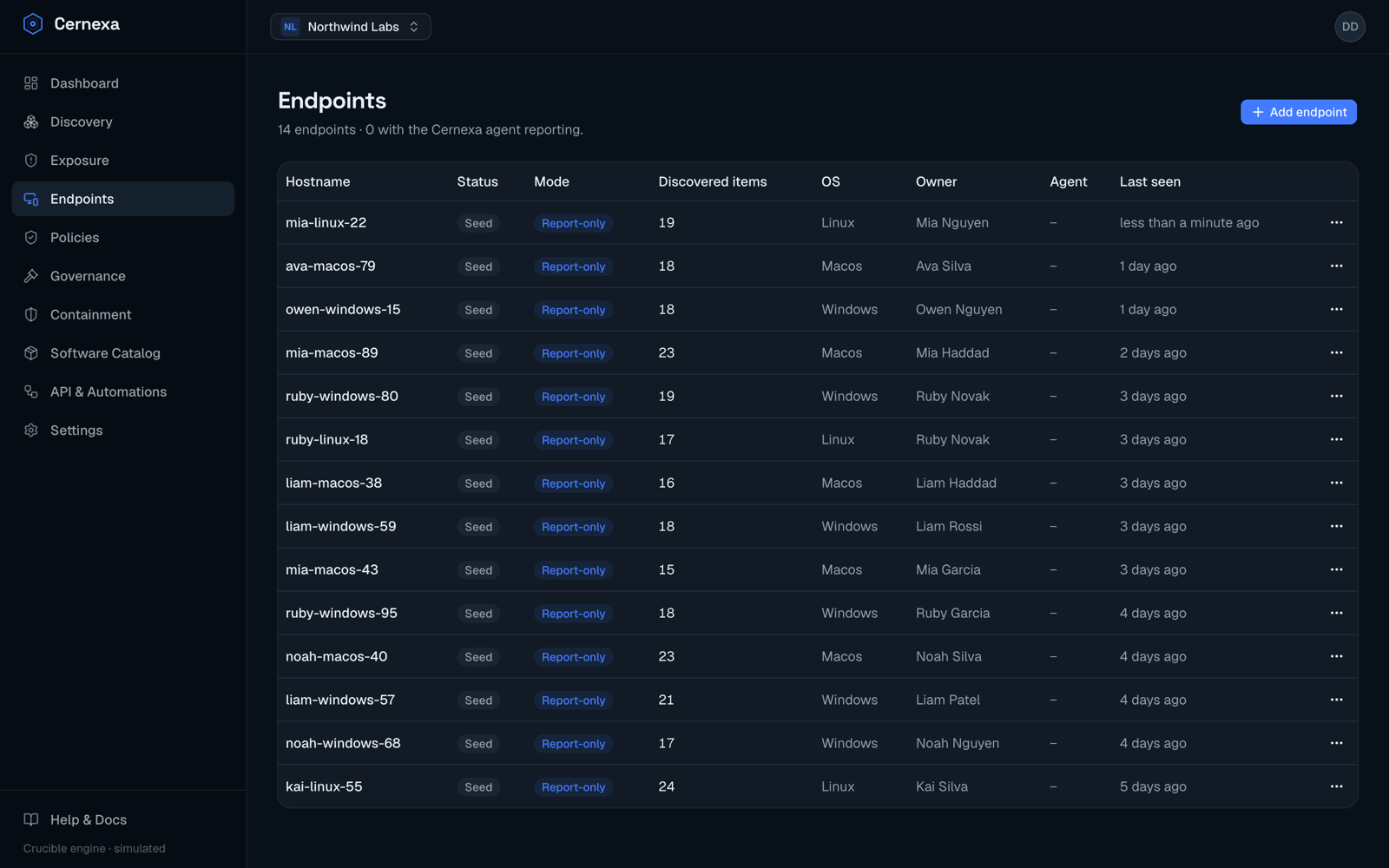
Endpoint state
- Active — the agent has reported recently.
- Stale — the agent hasn't reported in a while; worth investigating.
- Seed — no agent enrolled yet (for example, demo or placeholder devices).
The agent column shows the installed version, with an update available badge when it's behind. See Install the agent to enroll a device.
Enforcement mode
Every endpoint is either report-only or active:
- Report-only (the enrollment default) — observes and reports its install surface; Cernexa will never deliver a remediation or quarantine command to it.
- Active — remediation, quarantine, and enforced ringfences are delivered to and executed on it.
Switch modes from the endpoint's detail page (Enable enforcement / Switch to report-only). This is the safety valve that lets you adopt a strict governance posture without acting on a device before you intend to.
The endpoint detail page
Beyond the mode switch, the detail page lists all discovered software on that device — each artifact with its type, Crucible risk, install status (discovered / approved / blocked / remediated), any org-level governance decision, and a per-install remediation action where applicable.
Lifecycle actions
From an endpoint's actions menu:
- Deprovision (revoke agent key) — revokes the agent's token so it can no longer report, without deleting the historical record.
- Delete permanently — removes the endpoint record entirely; it asks you to confirm the hostname first.