Integrations & Setup
Supply Chain Gateway
Block risky software before it reaches a machine — agentless checks for CI, an inline registry proxy, and a guard command.
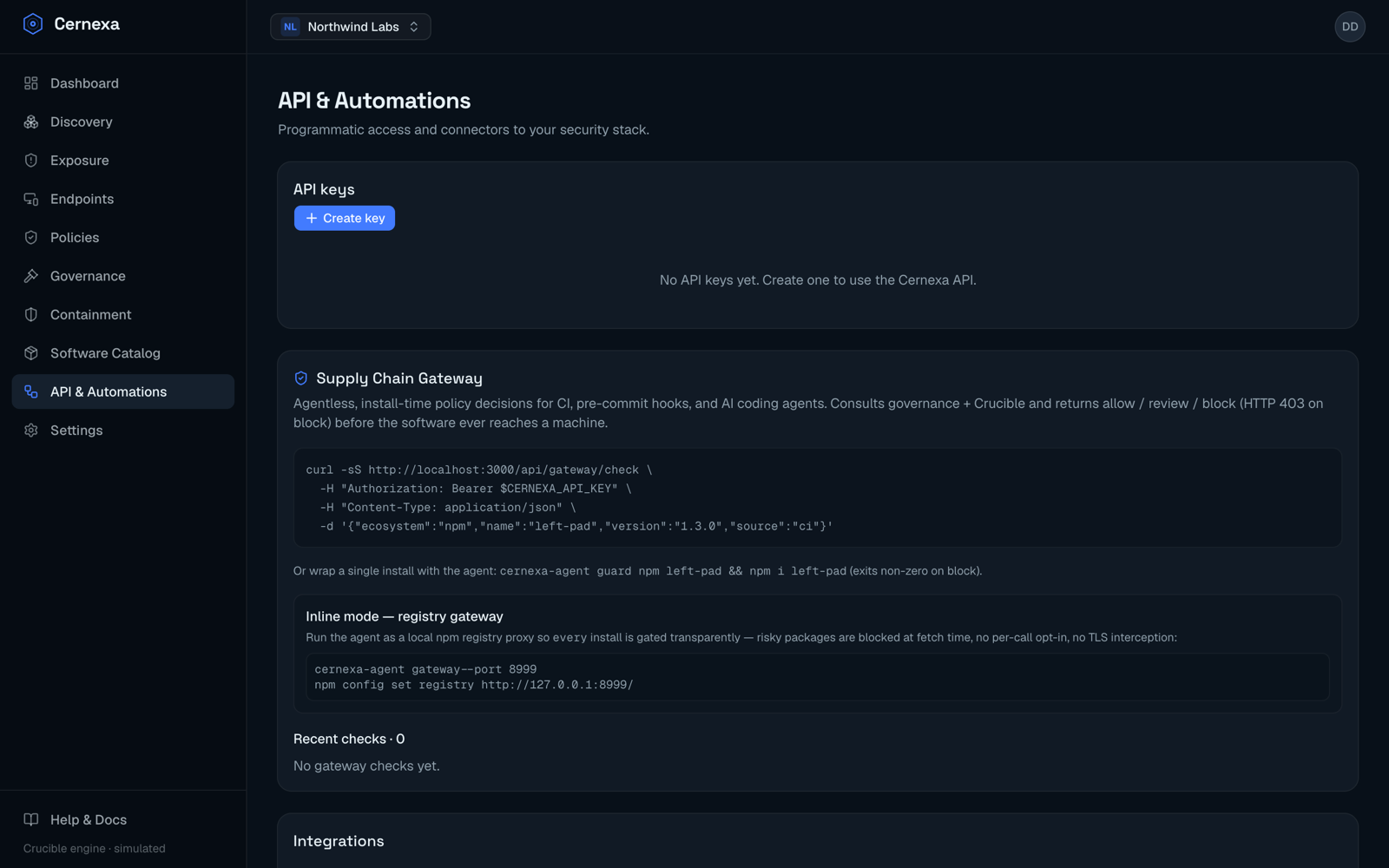
The Supply Chain Gateway makes install-time policy decisions before software is downloaded. It consults your organization's governance rules and the Crucible score and returns one of three decisions:
- allow — proceed
- review — flag for a human
- block — refuse (HTTP
403)
It's the preventive complement to the agent: the agent tells you what's already installed; the gateway stops risky things from being installed in the first place. There are three ways to use it.
1. Agentless check (CI, pre-commit, AI coding agents)
POST /api/gateway/check with an API key. Use it in CI pipelines, pre-commit hooks, or to gate what an AI coding agent is allowed to pull.
curl -sS https://<your-server>/api/gateway/check \
  -H "Authorization: Bearer $CERNEXA_API_KEY" \
  -H "Content-Type: application/json" \
  -d '{"ecosystem":"npm","name":"left-pad","version":"1.3.0","source":"ci"}'
The response includes the decision, the verdict, and the Crucible score. A block returns HTTP 403 so a pipeline step fails closed.
2. Inline registry proxy
Run the agent as a local npm registry proxy and every install is gated transparently — no per-call opt-in and no TLS interception:
cernexa-agent gateway --port 8999
npm config set registry http://127.0.0.1:8999/
Because npm talks to the proxy over plain HTTP on localhost, the gateway sees each package in the clear, policy-checks it, and reverse-proxies allowed packages to the real registry. Blocked packages fail the install at fetch time.
3. Guard a single install
Wrap one command; it exits non-zero on a block:
cernexa-agent guard npm left-pad && npm i left-padReviewing activity
The API & Automations page shows the most recent gateway checks — the software (ecosystem:name@version), the decision, the verdict and score, the source (CI, agent, …), and when it happened.
Related
- API keys & programmatic access
- Policies and Governance — what the gateway enforces